
Printer Settings for Coloring
By default, your printer may not have the best settings for printing our Coloring Pages. For the best coloring experience, please use our recommended printer settings below 😊
Windows
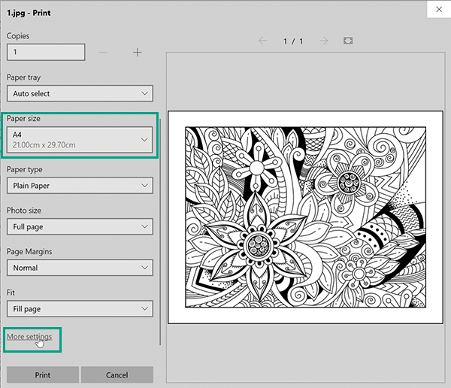
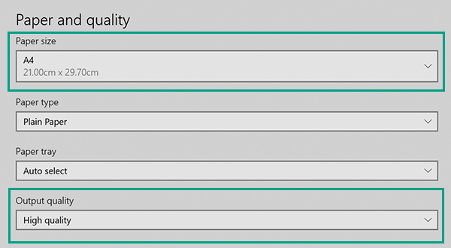
Ensure the paper size is A4 or US Letter > go to "More Settings" > ensure "Output quality" is set to "High quality"
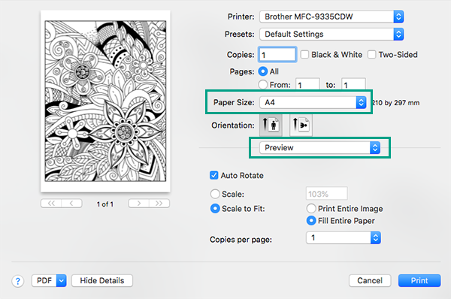
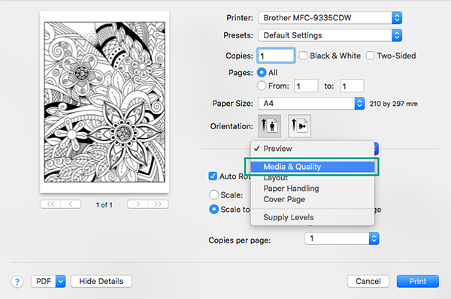
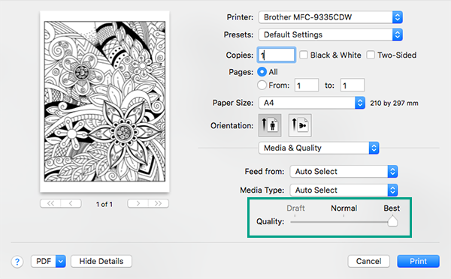
Mac:
Ensure the paper size is A4 or US Letter > go to "Preview" > select "Media & Quality" > Set Quality to "Best"
Thank you for your support! If you have any questions, feel free to email us via info@mycoloringtherapy.com
❤️ from the Coloring Therapy Team